
- By Alex David
- Wed, 11 Mar 2026 02:47 PM (IST)
- Source:JND
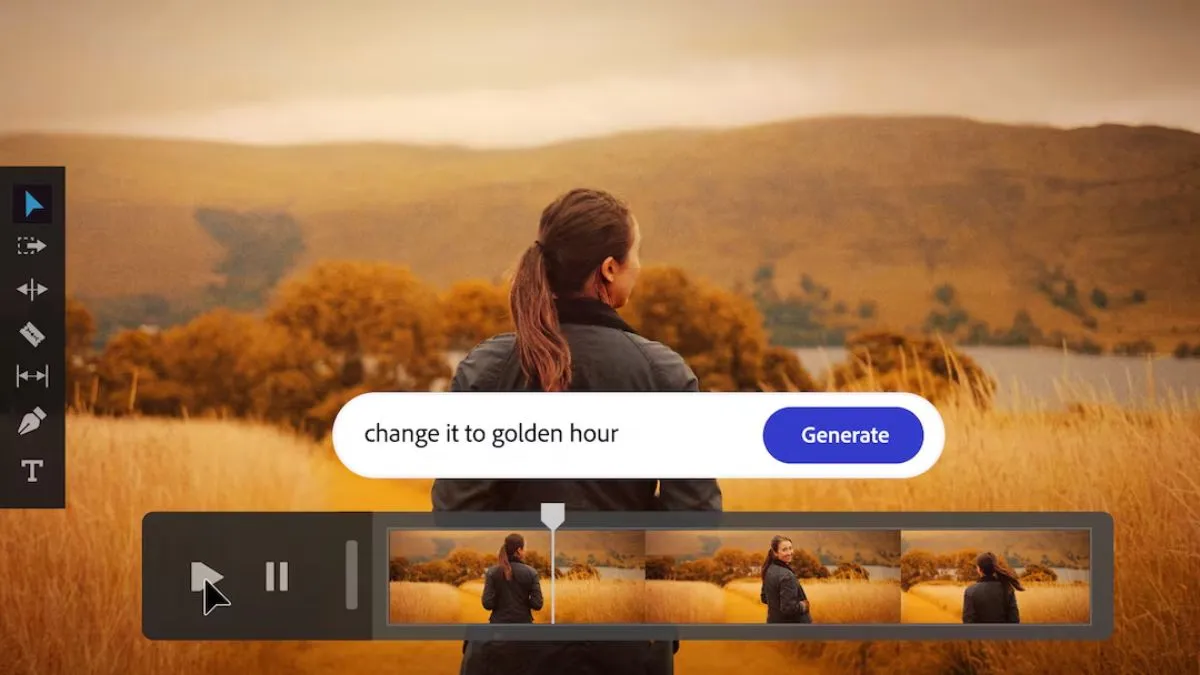
Adobe has released a major update to Photoshop by bringing its AI Assistant in public beta, opening up the usage of artificial intelligence-powered editing tools. The feature was first announced at Adobe Max 2025 and is now being tested more widely. In addition to this update, Adobe has upgraded its Firefly Image Editor with a few new generative features aimed at reducing time-consuming editing jobs like backing backgrounds, fine-tuning elements, and growing images from text prompts.
Photoshop AI App Assistant Released for Public Betas
On Tuesday, Adobe said the AI Assistant in Photoshop would be a public beta feature. The AI-powered tool is available for users on the web version of Photoshop, as well as the Photoshop mobile app. It is the AI Assistant that Adobe integrated into Firefly.
ALSO READ: Samsung Testing Massive 12,000mAh And 18,000mAh Silicon-Carbon Smartphone Batteries, Leak Reveals
Paid Photoshop subscribers will get access to the feature with unlimited generations and edits through April 9. Free users, however, can generate up to 20 AI-powered image edits only.
On the other hand, The AI Assistant enables users to modify images just with a few lines of text. For instance, users can ask the tool to take away distractions from a photo or even change the backdrop of an image with a prompt.
Recommended For You




Adobe added that the AI Assistant can fine-tune lighting and color settings such as contrast, and saturation. It can also apply edits automatically, or give you step-by-step instructions if you want to click the right buttons yourself.
Photoshop Web AI Markup Functionality
The Photoshop web version also brings a Markup feature powered by AI, found in the contextual task bar. This tool works in much the same way as the existing Markup tool which allows users to give instructions on specific objects within a project.
AI Markup allows users to target a specific element and change only that piece by means of text prompts. For instance, this feature allows a user to select a ball in an image and tell the AI Assistant to change its colour.
ALSO READ: Google Expands Gemini In Chrome To India With Support For 8 Indic Languages
New Firefly Image Editor Tools
In addition to the Photoshop AI Assistant launch, Adobe has introduced a host of new tools within the Firefly Image Editor.
Key additions include:
Generative Fill - Users can add, replace or enhance parts of an image
Generative Remove - Deletes going objects from p.
Generative Expand - Expands an image’s canvas or background
Generative Upscale - Increases image resolution and sharpness
Remove Background - Automatically deletes the background from photos
Confirmed by Adobe, these new Firefly tools are globally available.