
- By Prateek Levi
- Tue, 11 Aug 2026 01:30 PM (IST)
- Source:JND
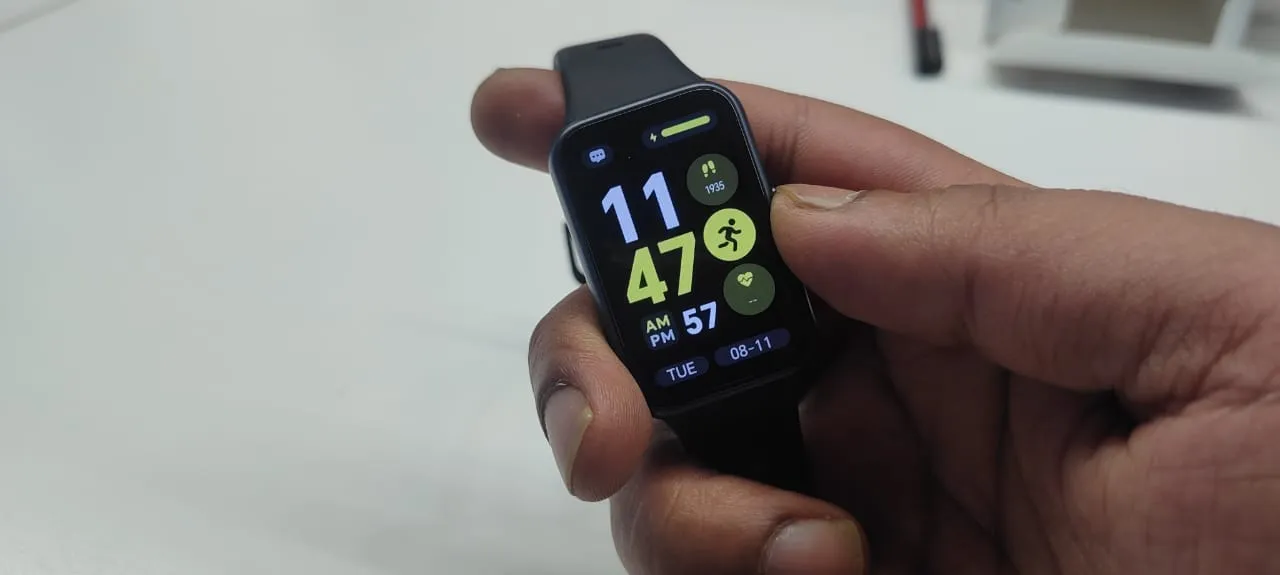
So I tested the Huawei Band 11, and here's an honest take on how it worked for me. Now, before getting into its functions and utility and its overall performance, let's take a look at what the device comes packed with under the hood.
Tech Specs
The Huawei Band 11 keeps things light and compact, measuring 42.6 × 28.2 × 8.99mm and weighing around 16g without the strap and without the aluminium alloy case; the aluminium alloy case is 1 g heavier. It gets a 1.62-inch AMOLED display with a 286 × 482 resolution and 347ppi, with touchscreen controls supporting taps and swipe gestures, along with a side button. The band comes with Beige, Green, Purple, White and Black fluoroelastomer straps, with wrist support varying from 120–190mm or 130–210mm depending on the colour. It also packs an accelerometer, gyroscope, magnetometer, optical heart-rate sensor and ambient light sensor.
The Band 11 is rated 5 ATM for water resistance and supports Bluetooth 6.0, BLE and 2.4GHz connectivity, with compatibility for Android 9.0 and iOS 13 or later. Huawei claims up to 14 days of battery life with lighter usage, while typical use can last up to eight days. Turning on the always-on display brings that down to around three days. The band charges magnetically using a 5V/1A charger and comes with the charging cable in the box.
I received the black Huawei Band without the alloy case.
Look, Feel And Design
The watch sports a slim profile and sits comfortably on your wrist without taking much space. I got the black one, and honestly, I liked how it fit with my entire look and complemented it without trying to do much. The strap as well as the build quality of the entire case seem good enough for the price range in which it comes; I am sure the aluminium frame sports an even more premium look, but here as well it was not bad at all, the strap feels sturdy and even the buckle is strong, so I have no complaints here.
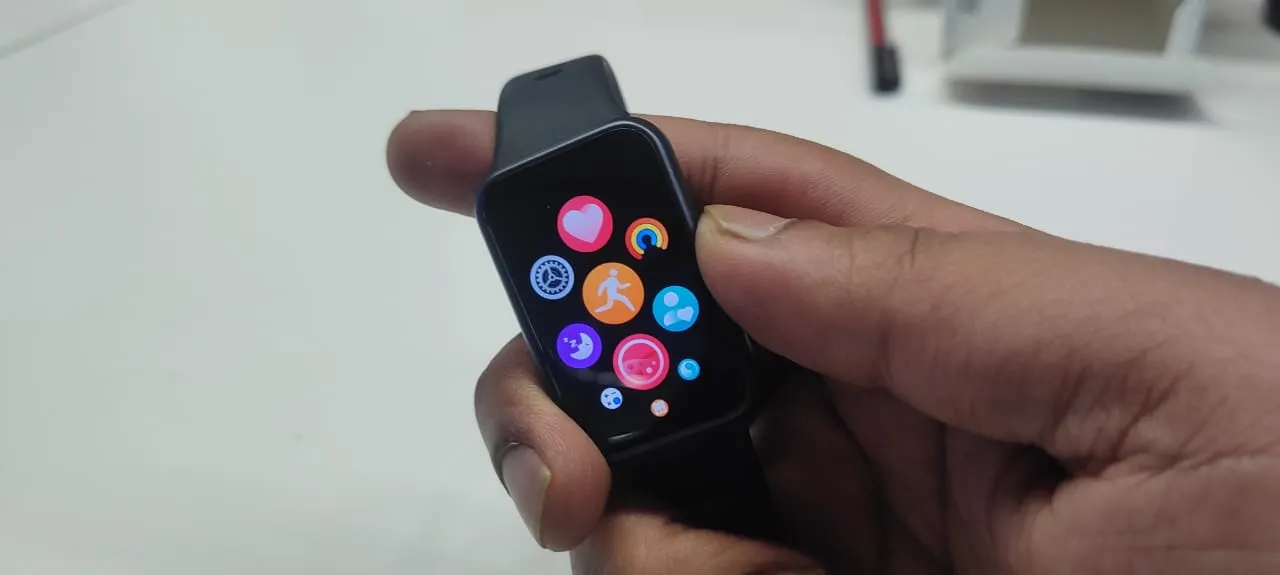
The AMOLED screen was sleek, but it does the job well; the display is also bright enough, and I was able to see it even in daylight. It has vibrant colours, and you can choose from many wallpapers, but you will need to install the Huawei Health app first to get it on your watch. There is just one small multipurpose button on the side, which will take you to the main menu, and here the menu display is a bit on the lines of what the Apple Watch has to offer, with a honeycomb/grid view; not to complain, it works fine. Although I do have to mention that it still lacks the crisp contrast and sharpness that you would expect from an AMOLED display, but it still does its work.
The touch response is good; I did not feel any lag here, and there are many apps and modes to explore when one gets inside it, which I will discuss below. So, in short, it has a good feel and look like one would expect from a band, without trying to overdo it.
Essentials Monitoring And App Controls
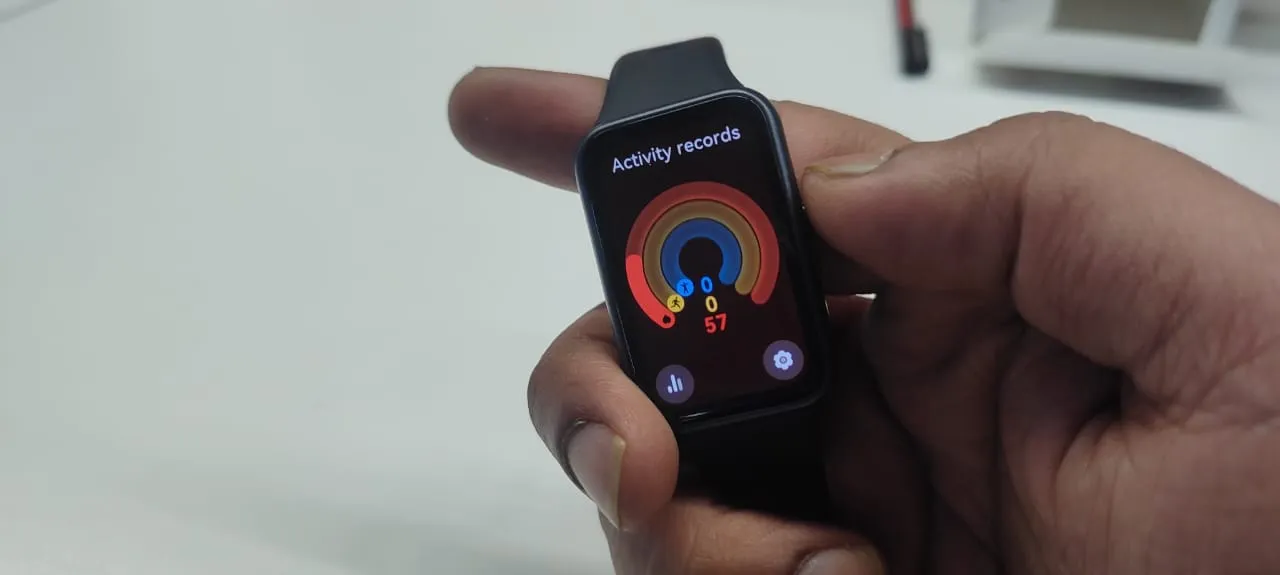
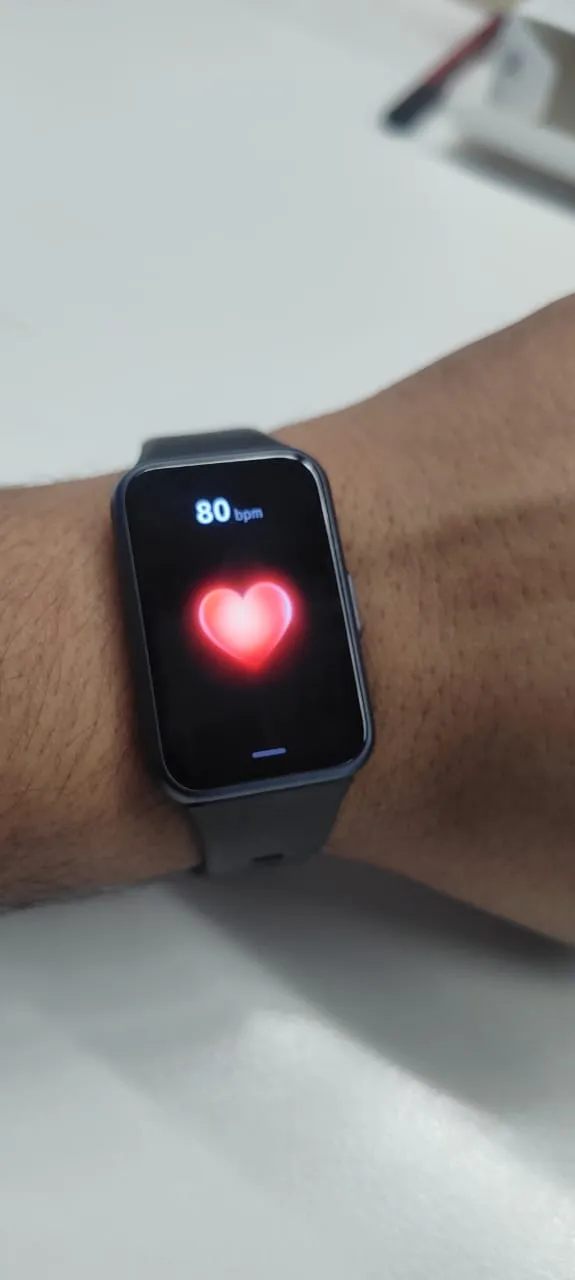
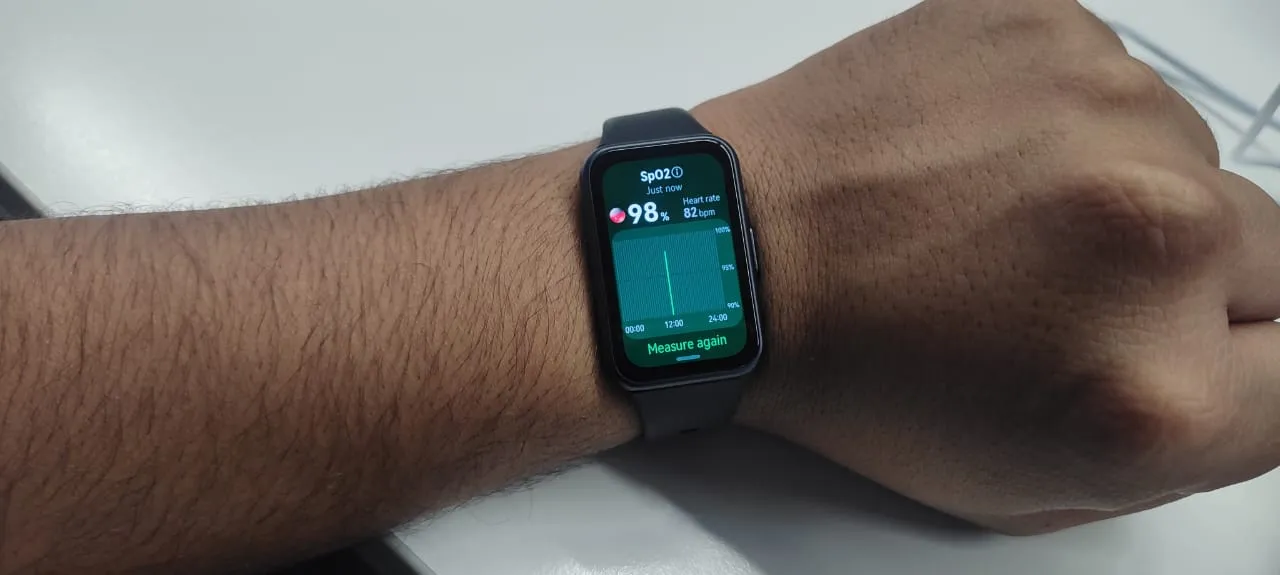
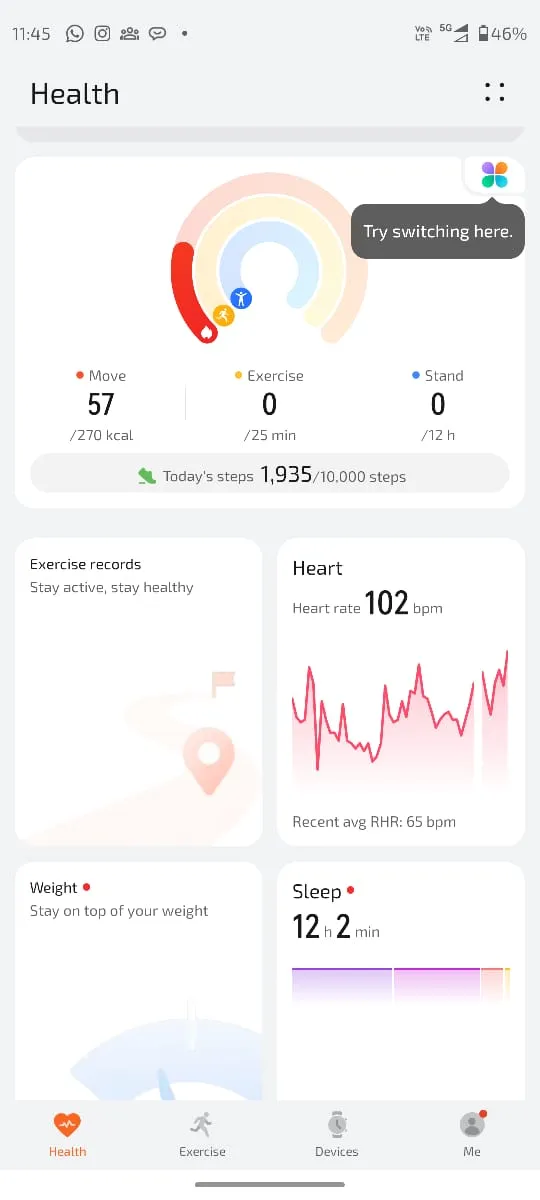
The band comes with the usual monitors like sleep, SPO2, Heart rate, calories and the ones that track your workout. The display is quite intuitive in its display of these trackers and can easily be accessed just by swiping. With it, I was able to map out my exact steps and how many calories I had burned, and it was also easy to access my heart rate, and this is apart from the sports tracking, and was being done throughout.
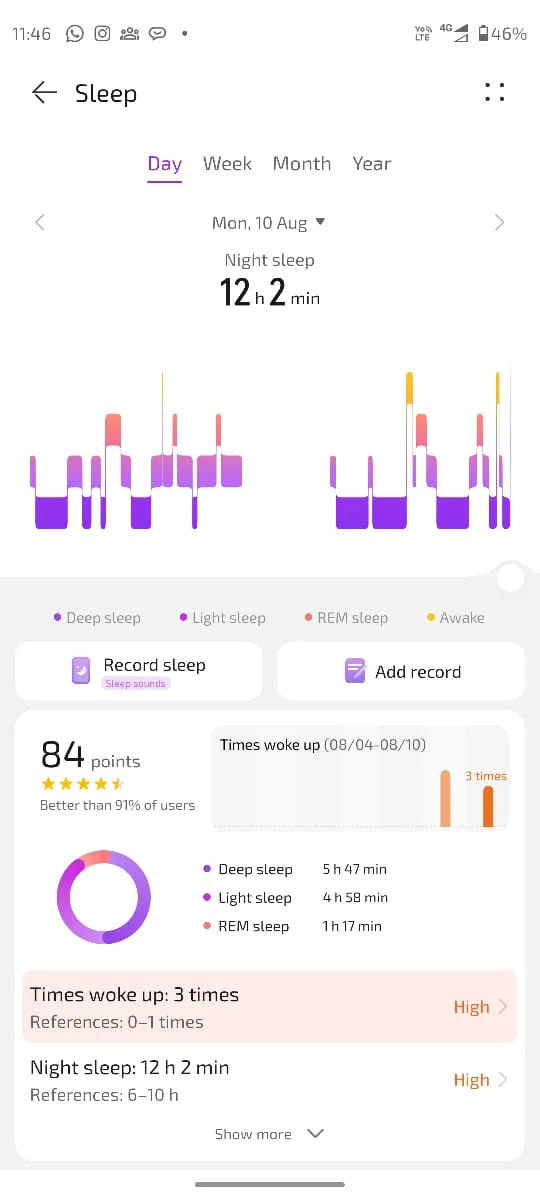
Sleep tracking is one of the most useful features on this band, and unlike a watch that might feel too big on your hand, this band sits easily on your wrist without bothering you much. It comes with useful insights such as how much REM sleep I had, deep sleep and also how many times I woke up and my sleep broke. I think it is very useful in the long term as this is something that will keep track of your recovery time and also get you in the habit of enhancing gradually; it's all about how you get in the groove.
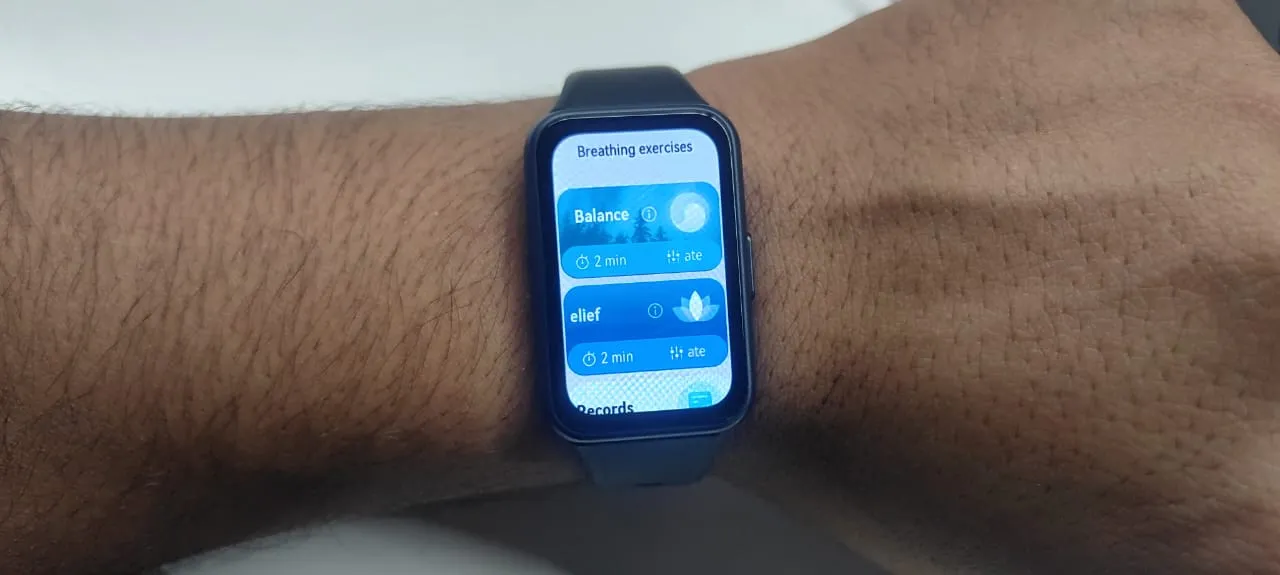
It also has some breathing and stress relief exercise features as well, which can come in handy at some point in time. I have attached images of all these things for you to get a better idea of its UI and what you get.
Utility Features
One of the most interesting features is the fact that it comes with a selfie remote shutter, which you can enable with the help of the app and take your selfies with ease; just keep your phone in a comfortable position and tap the remote shutter to get that selfie. Apart from that, it comes with endless sports monitoring features and supports 100 sports. I have not explored them all, but as a runner, I feel that this makes a nice gadget which is easy to use and gives you great insight as you work out, so you can track and improve your progress daily.
Apart from that, it comes with phone calls and message notifications, but it does not have a built-in speaker for talking through it. It also has a calculator, weather and a calendar as well.
Battery That Feels Like It Can Last
I used the band mostly without Always On Display, and I remember one day in an emergency I had to take it out with just 30% battery, and I have to say the watch did not disappoint and lasted two days without AOD, and I was tracking my sleep and other essentials in it, not continuously but occasionally.
The charging is also swift and fast; I was able to reach 100% battery in around 45 mins from a 1% charge.
A Few Downsides
All is well with the band, but there are a few details that I would like to bring to your notice. Pairing the watch with the Huawei health app was not that easy for me, maybe the experience will change in the future but for now, the QR code that shows up at the beginning of the startup was not of much help and I had to source it through a different place to get the right thing, this is something that the company must look into as it affects usability in the very initial stages itself, because this is the only way the device works and the only way to get it started with all the utilities.
The device is heavily dependent on the app, and it takes some time to set it up as well, with it asking for multiple sign-ins and permissions from your device, and without the app, a lot of other utility features might not work properly.
Apart from that, the phone call feature did not work with WhatsApp or normal calls in my case, I was able to see the calls coming on the display but was not able to cut it (This is the only available option as it works more like a notification); it could be a device compatibility issue as I have a Motorola smartphone, but this is something the company should look at if it wants to tap the budget tier market, and the same issue was found with the camera shutter as well.
Verdict
All in all, it's a capable device which makes it easy for you to track essentials and also get you a lot of utility with it, that too without taking a whole lot of space on your wrist, and I would like to rate it 8.5/10.