
- By Prateek Levi
- Tue, 18 Aug 2026 08:04 PM (IST)
- Source:JND
Fraud SIM Block: Have you ever wondered how many SIM cards have been issued in your name or under your identity, and what you can do to check all the SIM cards that are active under your identity and request immediate deactivation of those numbers that you can't recognise? As smartphones and our registered mobile numbers have become essential to our daily lives and are utilised across platforms like UPI, Bank OTPs, etc, it becomes important that our details remain safe from fraudsters who can misuse them and get an extra SIM in your name for scams. Here we are going to look at how you can prevent that from happening.
In order to check the above-mentioned scenario, the Govt of India, under the aegis of the Department of Telecommunications (DoT), has a portal called the Sanchar Saathi TAFCOP Portal that gives citizens an opportunity to view all the active SIMs that have been registered under their name or identification.
An interesting thing to note is that this portal is free of cost, and it also specifies the number of SIM cards one can have per user, which is capped at nine; for states like J&K, Assam, and North-Eastern states, the limit is capped at six. So let's dive in.
How To Check SIM Cards Registered In Your Identity Or Name
Sanchar Sathi has become a one-stop shop for all your queries related to this problem, as it comes with multiple tools that can come to the aid of regular users like us. You can view every mobile number that is active in your name here, and the process for that is quite easy as well.
- Firstly, on your web browser, go to the Sanchar Saathi TAFCOP page, the link for which I have attached here https://tafcop.sancharsaathi.gov.in/telecomUser/
- Secondly, you will need to enter your credentials, enter your 10-digit mobile number and solve the captcha that is there.
- Thirdly, just click on Request OTP and enter the one-time password you will receive on your device, then tap Validate.
- Lastly, the dashboard will take you to the page which will display the exact number of active connections that are there under your identity.
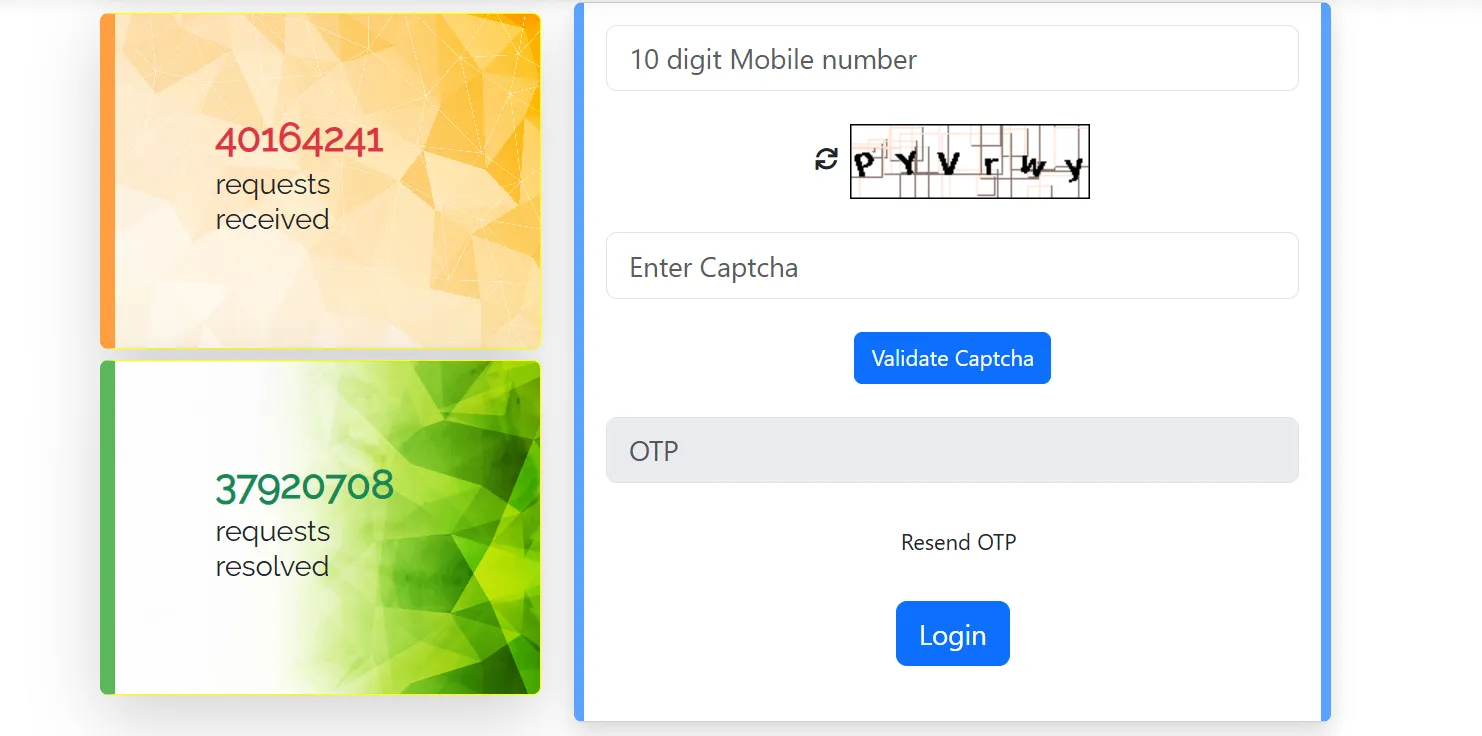
By doing only this much, you will know if there are any numbers registered under your name or not. Now, if there are any unidentified numbers you spot that are there under your name, you can use an integrated service on the portal to get rid of these numbers; you just need to do the following.
- Firstly, identify the fraudulent SIM number by cross-checking it through the list provided by the TAFCOP portal.
- Secondly, you need to select the correct option, such as: "This is not my number"; this option can be used to identify any fraudulent number that you don't recognise as yours. Then the DoT will pass this to the respective telecom operator for further action. The other option is "Not required"; you can select this for old numbers that might not be in use anymore.
- Lastly, you need to submit by clicking 'Report', and the portal will generate a TicketID/Reference Number, and you can use this ID/Number to log in and track it on the TAFCOP portal.
FAQ's
Is there a mobile app for this service?
Yes, currently there is a mobile app, which you can download from the dedicated website using the QR code available there, and it can also be downloaded from the Google Play Store for Android and the official Apple App Store.
Why is it important to identify and block these numbers?
Scammers can use these numbers to get OTPs and gain banking information, which can be used against you, and you can be scammed for financial fraud or identity theft.
What are the SIM limits as per DoT rules?
In most parts of the country, nine SIMs or active mobile connections are allowed; in the case of Jammu and Kashmir, North-Eastern states and Assam the number of connections is capped at six.
ALSO READ: Tecno Pova 8 Pro 5G Arrives In India With 6,500mAh Battery: Here’s What You Get For Rs 49,999
What Is the Sanchar Saathi Chakshu Portal Feature?
This is another utility service that the government has added to the Sanchar Saathi homepage, which can be used to flag fraudulent WhatsApp accounts and even calls and messages (SMS) which lead to fake lottery tickets, malicious links or scammers impersonating Govt officials.
In conclusion, this service provides citizens with a great way to take control over their mobile connections, and this can help you prevent fraud and safeguard your identity; if nothing's wrong, you can have an account of all the registered numbers and keep track of them.