
- By Prateek Levi
- Wed, 29 Apr 2026 08:16 PM (IST)
- Source:JND
ASUS TUF Gaming A14: So we tested the ASUS TUF Gaming A14 here at our end, and I have to say this machine has got some serious power packed inside it. Before taking a look at how the laptop performed as we stressed it through various benchmark tests and gaming rounds, lets take a complete round up of its specs and features and what the laptop has to offer on the surface as well as under the hood.
Specifications Under The Hood
First things first, what does the laptop pack under the hood? To begin with, the device comes with AMD's Ryzen MAX+, which is a high-performance "Strix Halo" laptop processor, and what's special about it is that this chip combines the power of a high-end CPU with an integrated GPU (iGPU), and this is a 64-bit-based setup. This processor has 12 cores and 24 threads and is based on Zen 5 architecture and has a base clocking speed of 3.2 GHz and max clock boost of up to 5 GHz and has an integrated AMD Radeon 8060S. Now, before you think, 'What good is an integrated graphics card?', let me explain it to you.
ALSO READ: Sony PS5 Price Hike: Singapore, Malaysia, And Other Southeast Asian Countries Take The Hit
This iGPU is not like any other basic integrated graphics chipset; it is more like it is on steroids and has the power to rival a mid-range GPU easily, and our benchmark scores prove that. This iGPU is based on the RDNA 3.5 architecture and is optimised for higher efficiency when it comes to per-watt performance. It has a 40 graphics core count and can operate on DirectX 12. To put things in perspective, this GPU is somewhere between an RTX 4060 AND RTX 4070 laptop GPU.
As far as RAM is concerned, the laptop has 32 GB of installed physical memory, although the total physical memory is 27.6 GB. Why? As mentioned above, this is an iGPU laptop, so it shares the rest of the 4.4 GB it shares with the Radeon 8060S. So that also corroborates the memory your iGPU has, although if required, this chip can allocate more if required, and that is something that we also found out while testing it.
Display-wise, the device comes with a pretty heavy setup as well, sporting a 14-inch, 165Hz, 2.5K (2560 x 1600 QHD+), anti-glare display with 100% sRGB. It also has 2 SSD slots; that means the storage is expandable with up to 4TB PCIe 4.0 support. There are a few more specifications that I will mention later. So now let's jump into how it performed.
Benchmarking The ASUS TUF Gaming A14
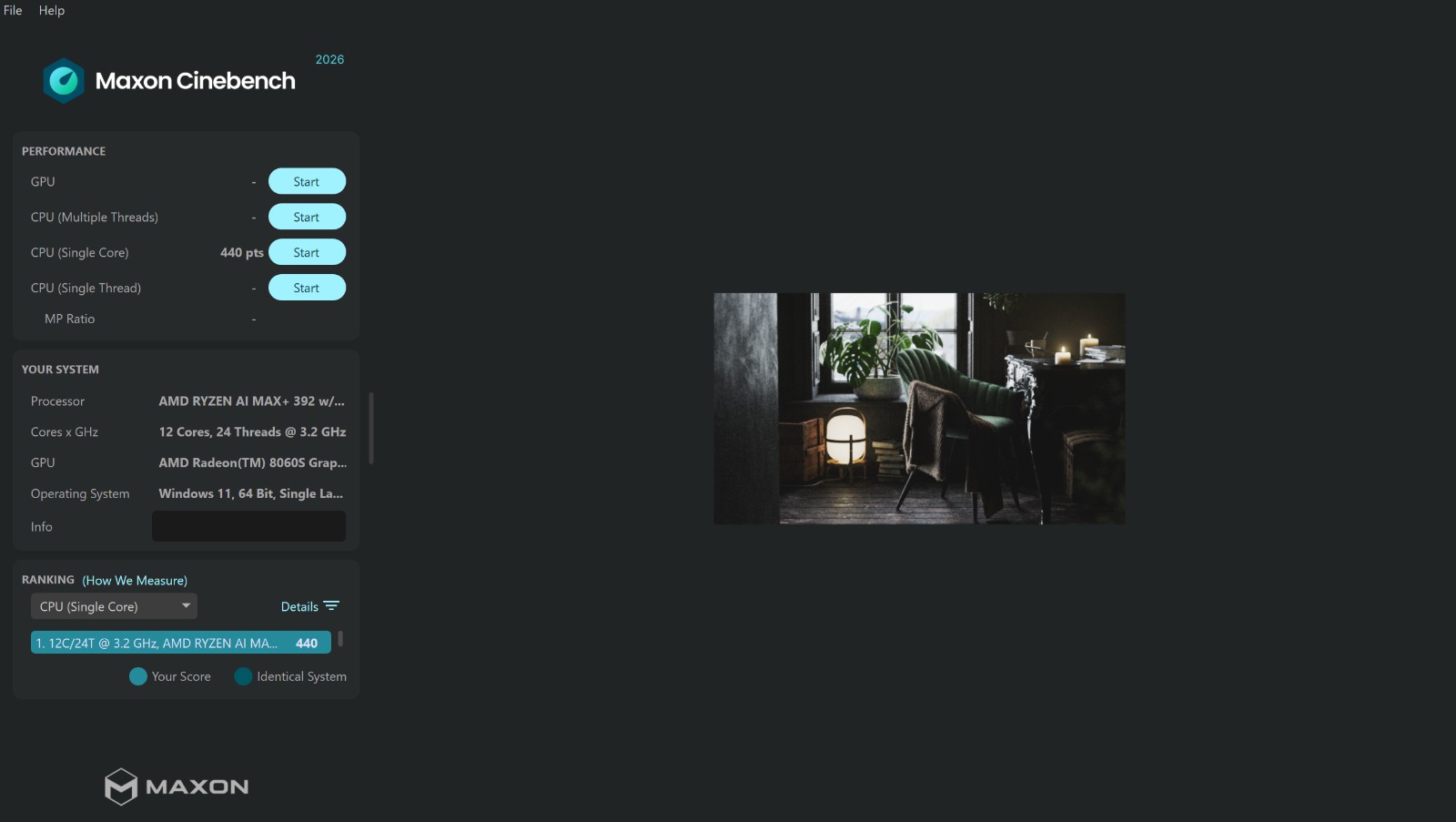
While benchmarking the ASUS TUF GAMING A14 for single-core and multi-thread scores, we used Cinebench. As far as single core is concerned, the CPU secured 440 points, which is a pretty good score.
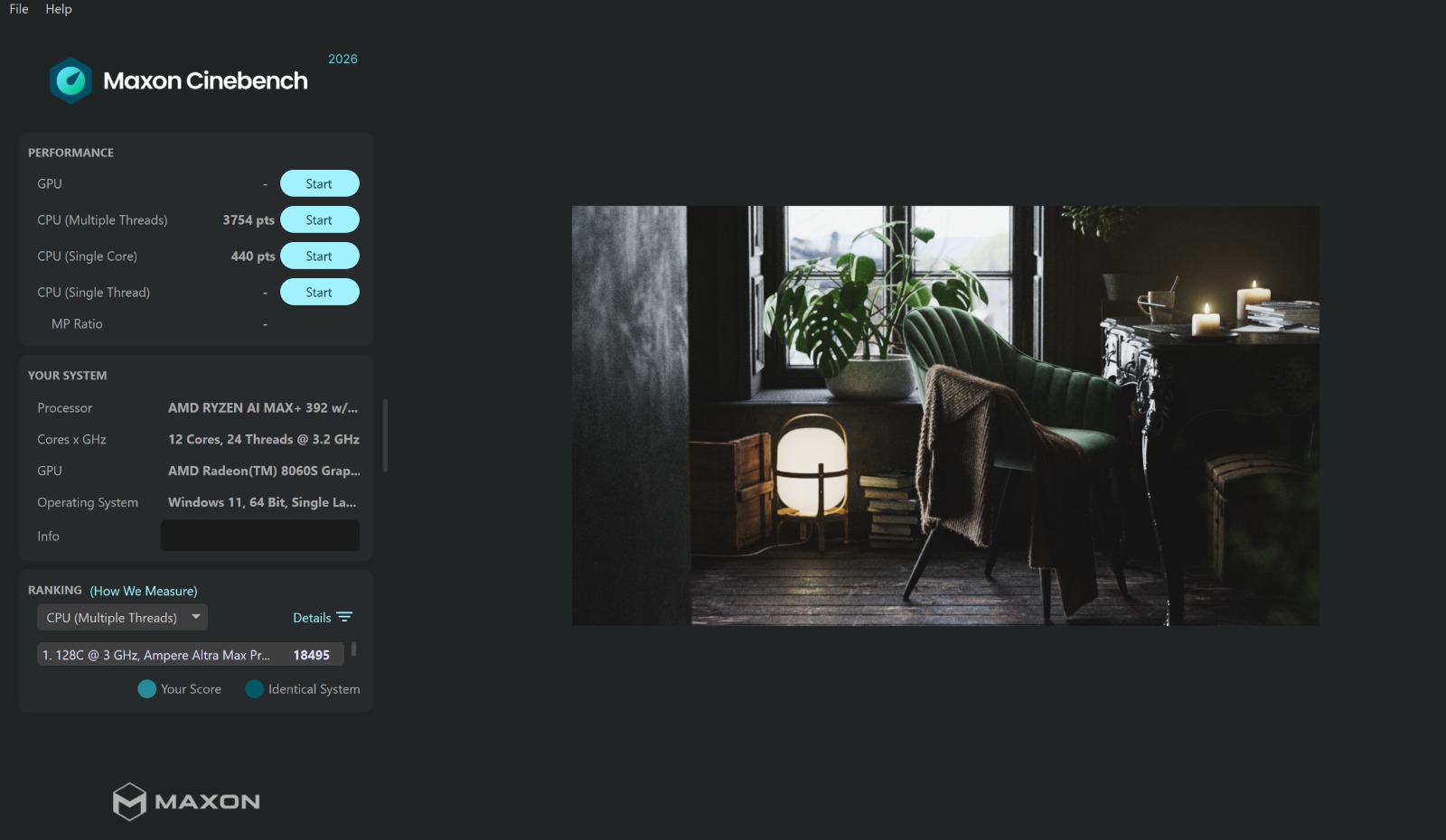
Talking about multi-thread performance, it has scored a good 3745 points. If you ask me, that's a pretty good score, although it does lag behind Apple silicon and Intel Core Ultra 9 series and even AMD's own Threadripper series, but it does beat the Ryzen 7 laptop CPUs, Snapdragon X 12-core CPU and more. I have a PC that uses a Ryzen 7 5800X3D, which is a pretty powerful processor, and it beats that, so your tasks, no matter how heavy, can easily be handled.
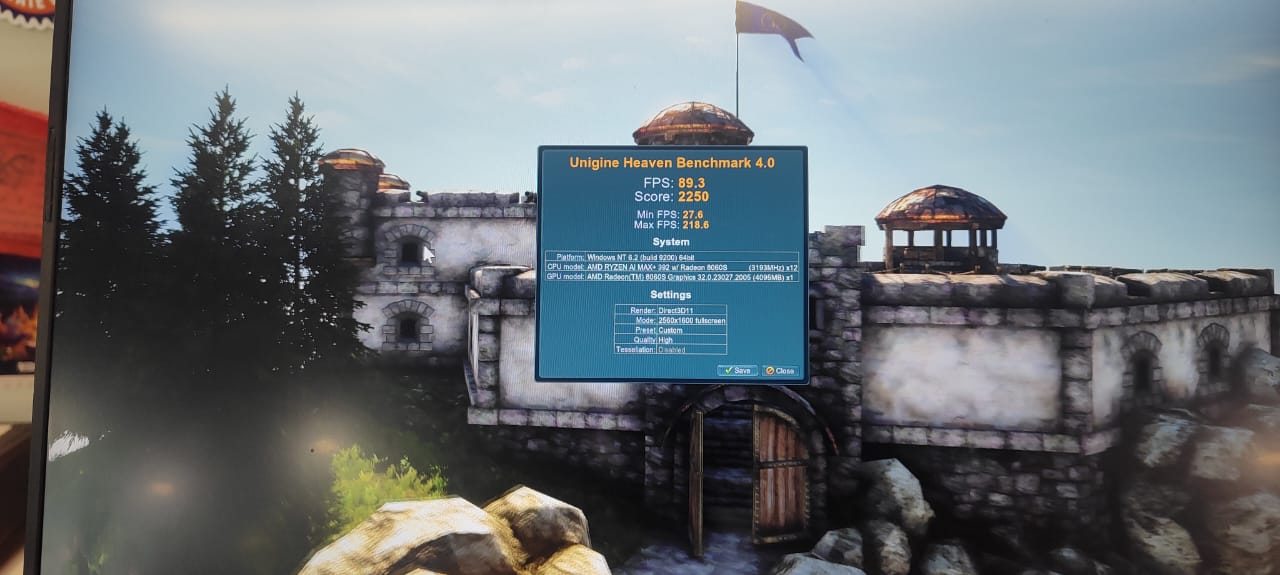
To test its graphical fidelity, we used the Unigine Heaven Benchmark 4.0, and here as well the device was able to deliver good results. Its score was 2250 and FPS count was 89.3, with minimum FPS at 27.6 and maximum FPS at 218. 6. Now, enough of technical jargon; let's jump into the real stuff: how it performs during gaming.
Gaming Benchmarks
So we tried two games here to stress it, and one is Apex, which is a popular multiplayer title by EA, although you can run it on simpler systems as well, but gaming buffs know that 30-40 fps at low settings just doesn't cut it, but don't worry; this laptop is here to give you a full-fledged multiplayer gaming experience that is good for competitive gaming as well.
We didn't even need to try the medium settings here, but if you do go for that, the frame rates will definitely bump up even more. Also i must note it here that I tested the system on Performance mode and putting this on Turbo could give you a bum oy 10-15% but also increast the fan noise as it stresses the system more, so for me Performance mode sits in the sweet spot.
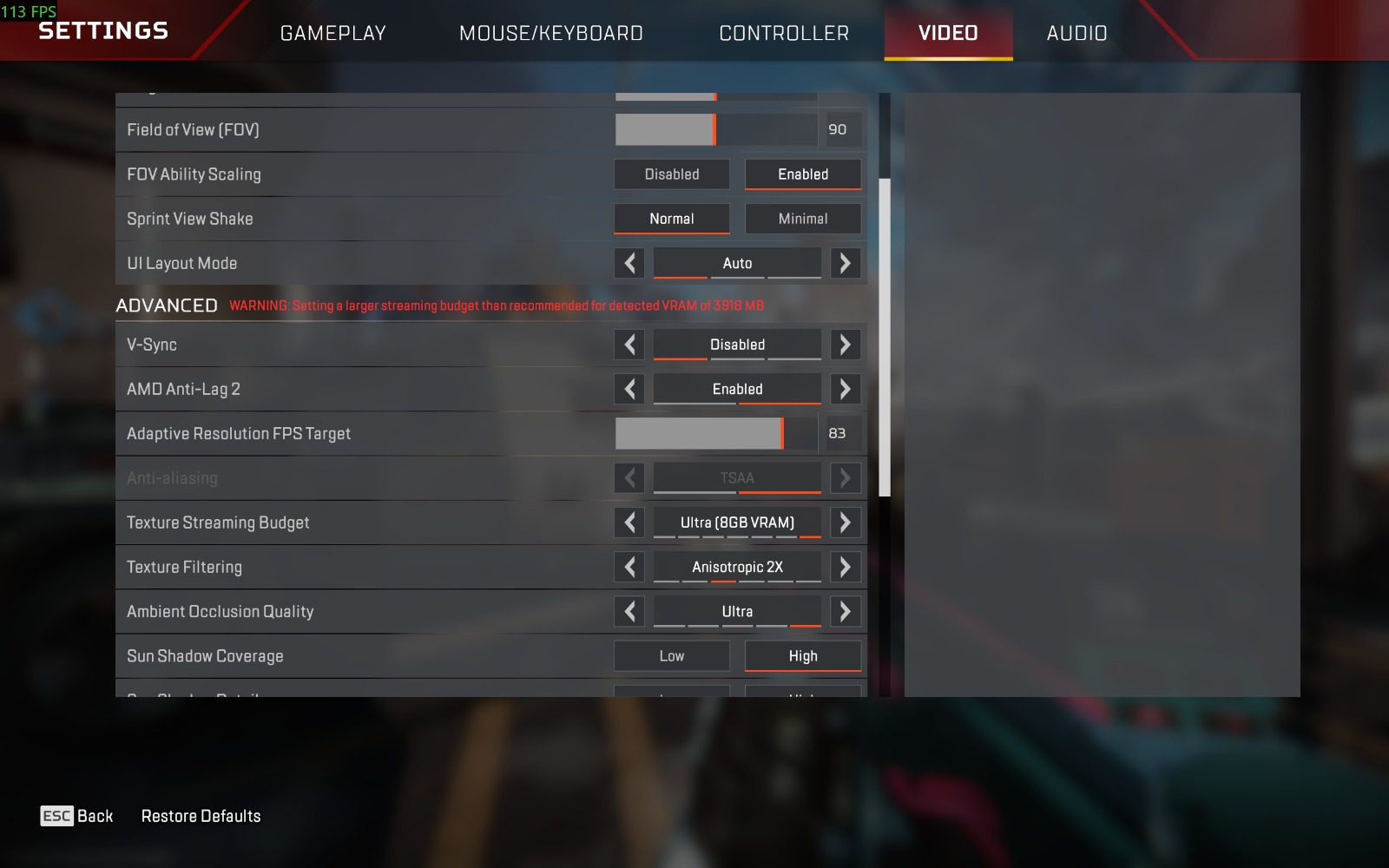
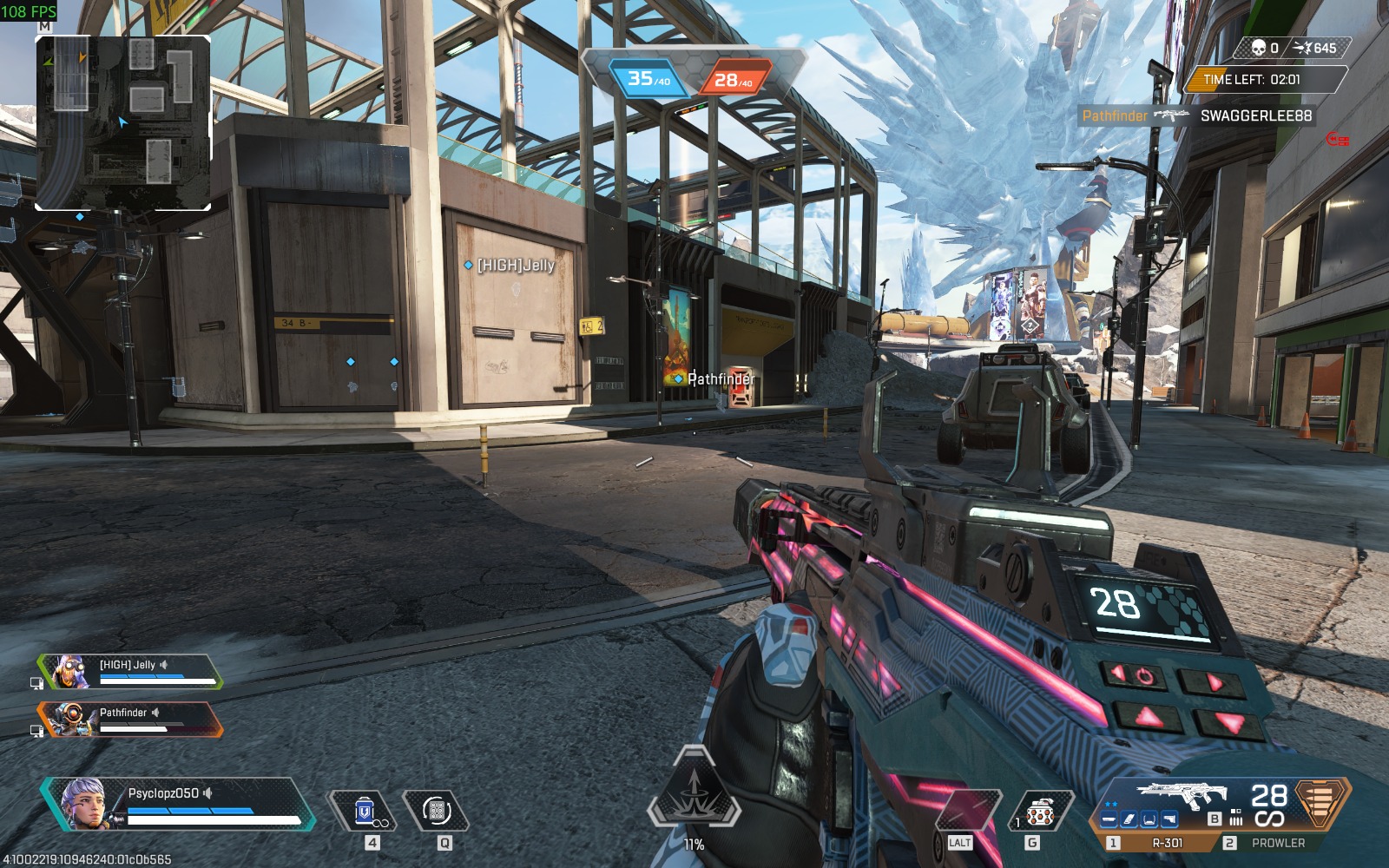
Now at high 4GB VRAM settings on Apex, the game was easily able to deliver 120+ FPS and max out at 150 fps as well. It was consistently maintaining 133-135 fps with very low drop rates and jitters; the 1% lows were also lower. At a very high setting, which is a 6GB VRAM preset as well, it was easily giving 100+ FPS without breaking a sweat; eand maxing out at 125 FPS, even the fans were not making the noise. Here I will tell you while you increase the graphics in settings, an alert prompting for streaming budget also shows up, but here, as I mentioned before, the iGPU might have borrowed more from RAM to process it.
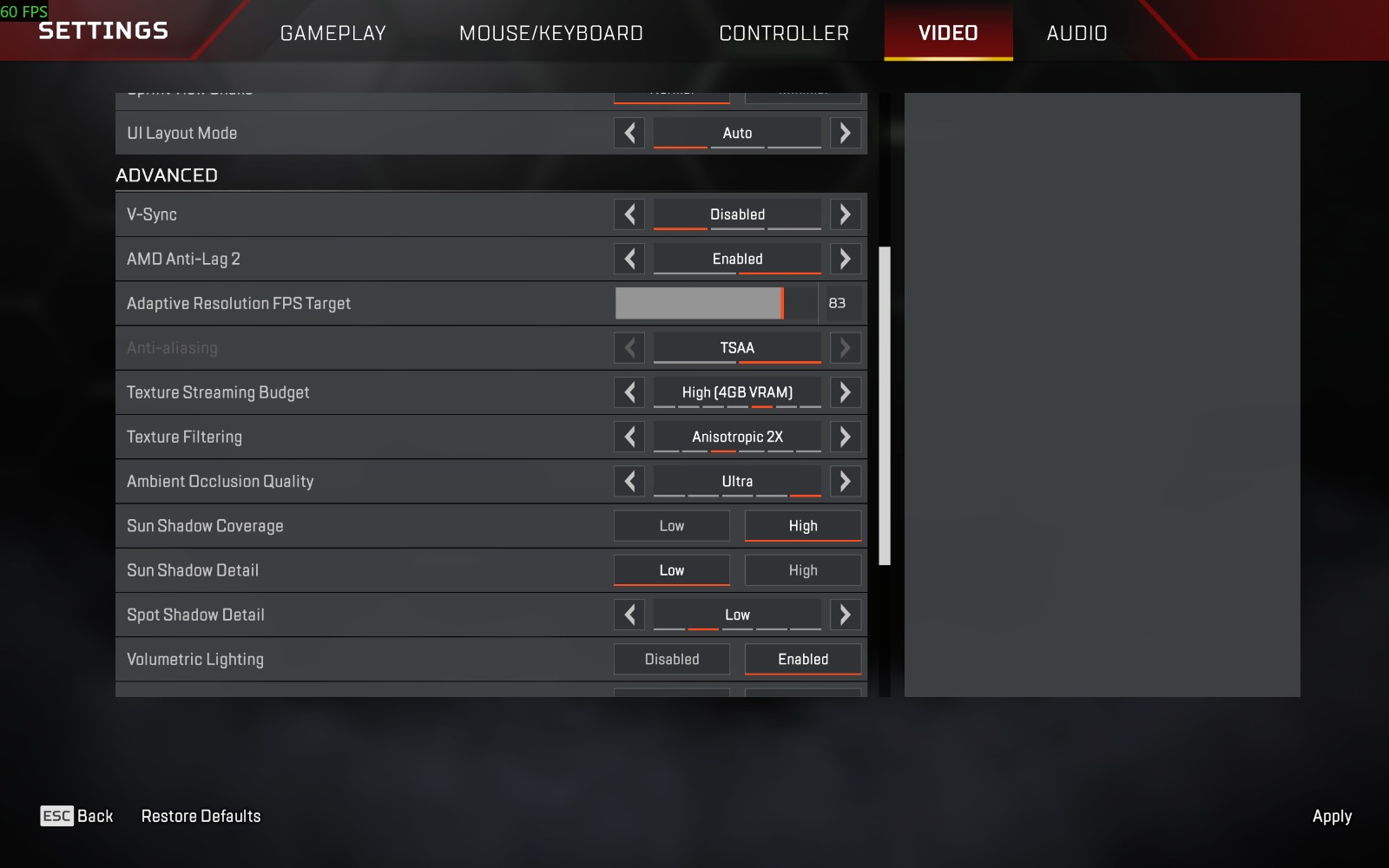
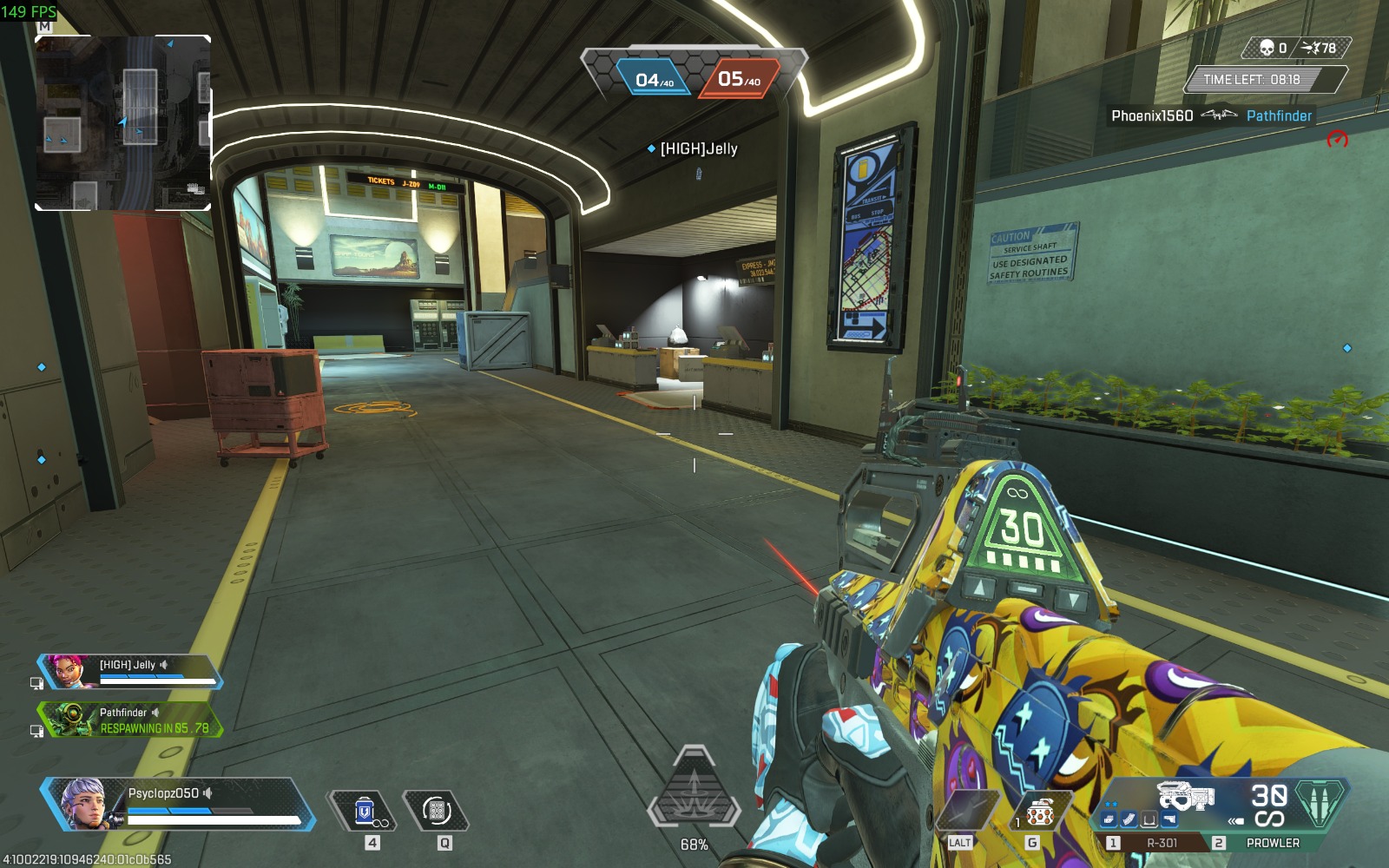
-1777471791277.jpeg)
-1777471801400.jpeg)
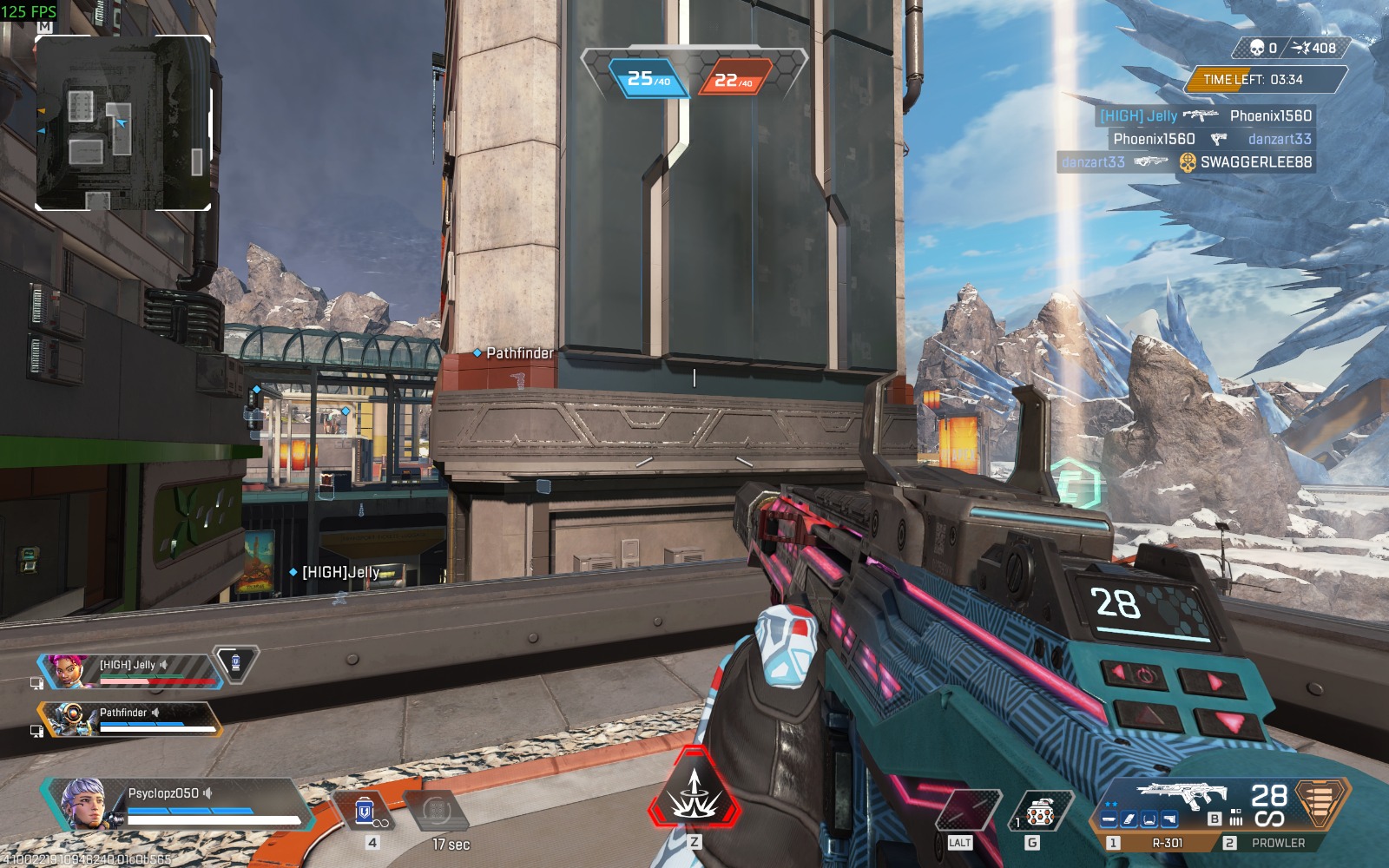
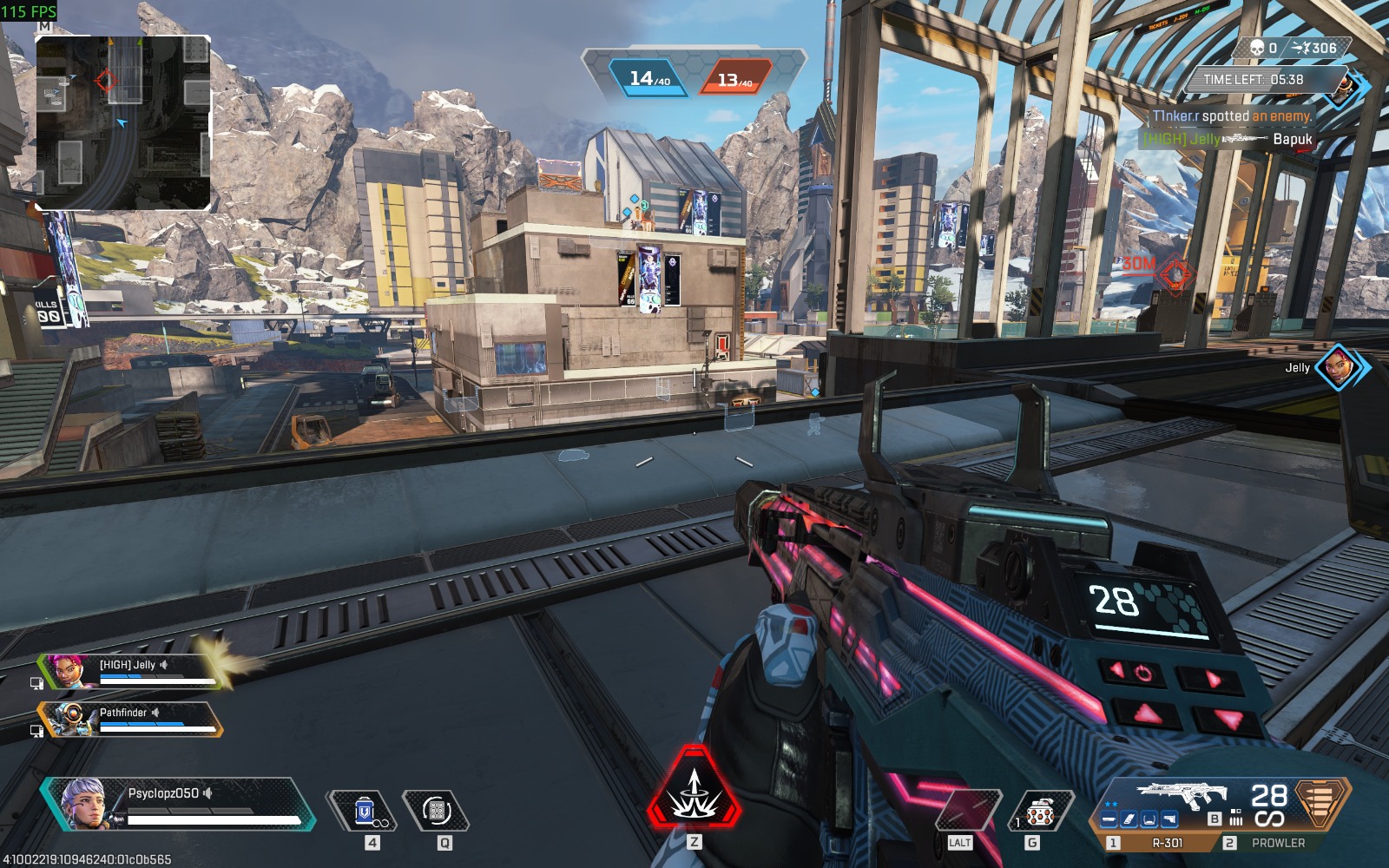
At Ultra 8GB VRAM settings as well, the device was able to handle it very nicely, with 100+ FPS easily. I have attached the pics here reference.
-1777472164928.jpeg)
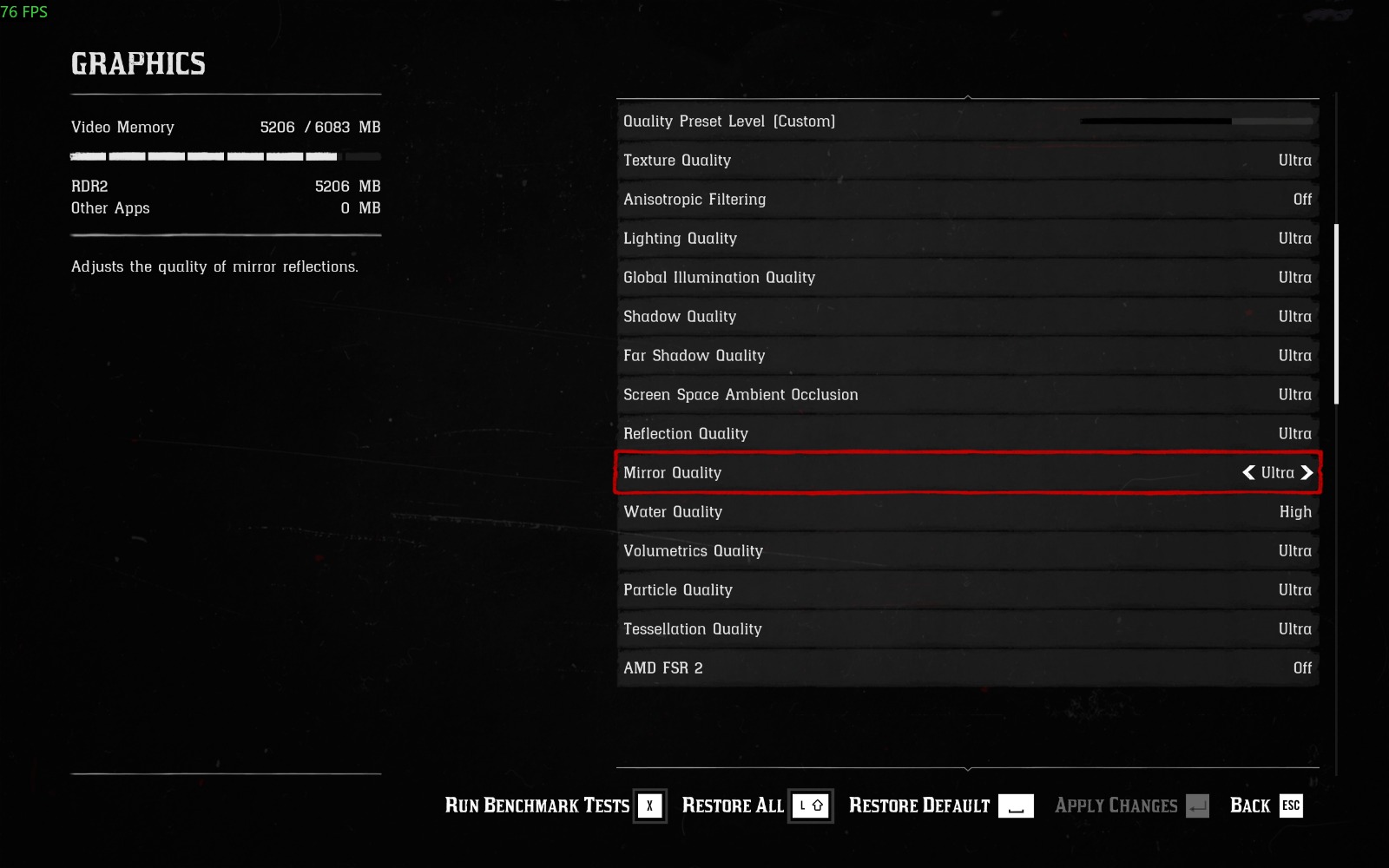
Next we tried the beloved single-player title Red Dead Redemption 2, and everyone in the gaming community is well versed with how much the game really asks for, even though it can be run on lower-end PCs, and honestly, it looks very good on low and medium graphics as well, but this device can easily take things higher for you, making this a beast for gaming, and not just casual but professional level, and this I say as a gamer myself, as I have a 2K screen that runs RDR2 at 80-90 FPS at maxed-out settings, and this device is able to render on a 2.5K display.
So here's what we found out.
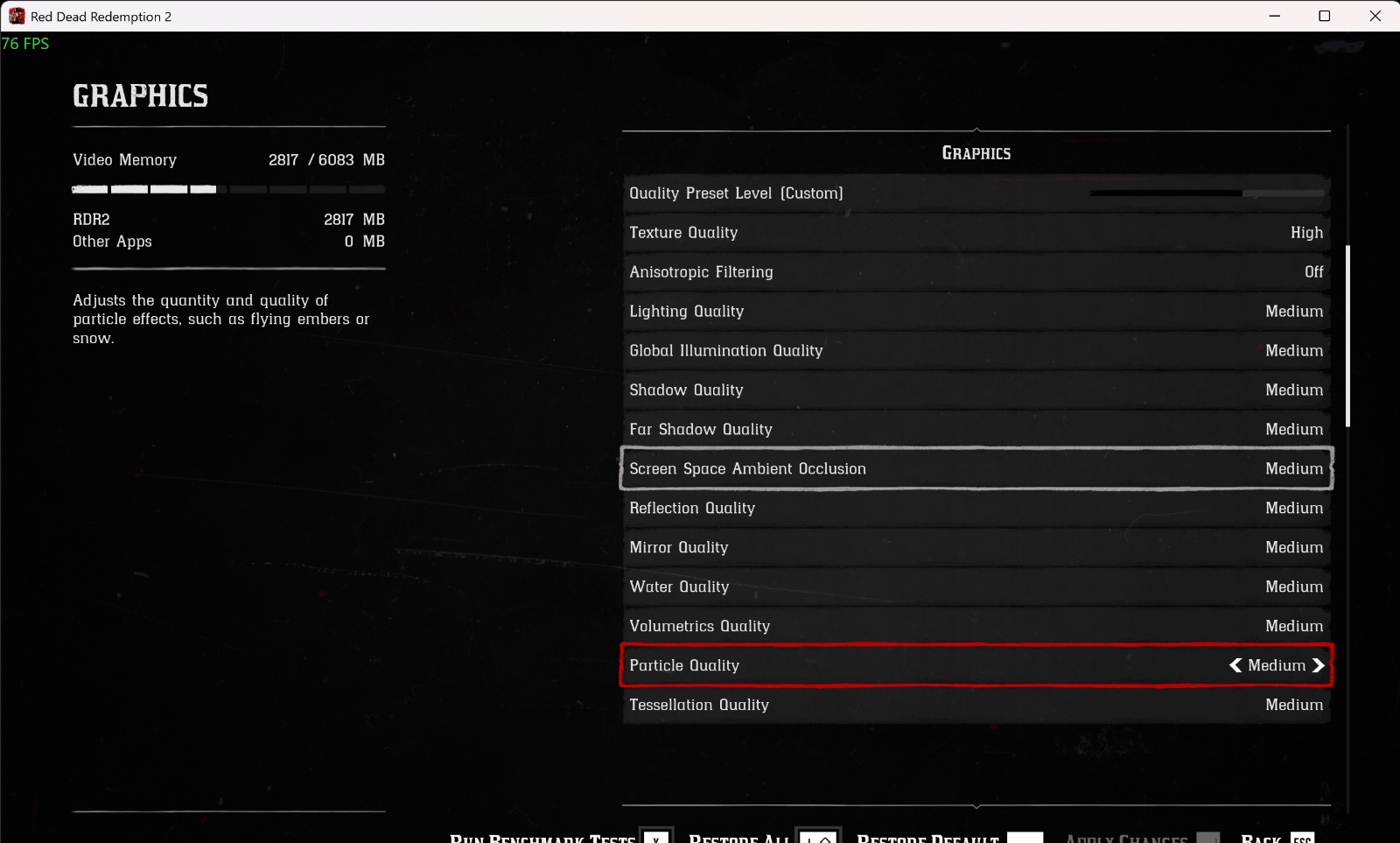
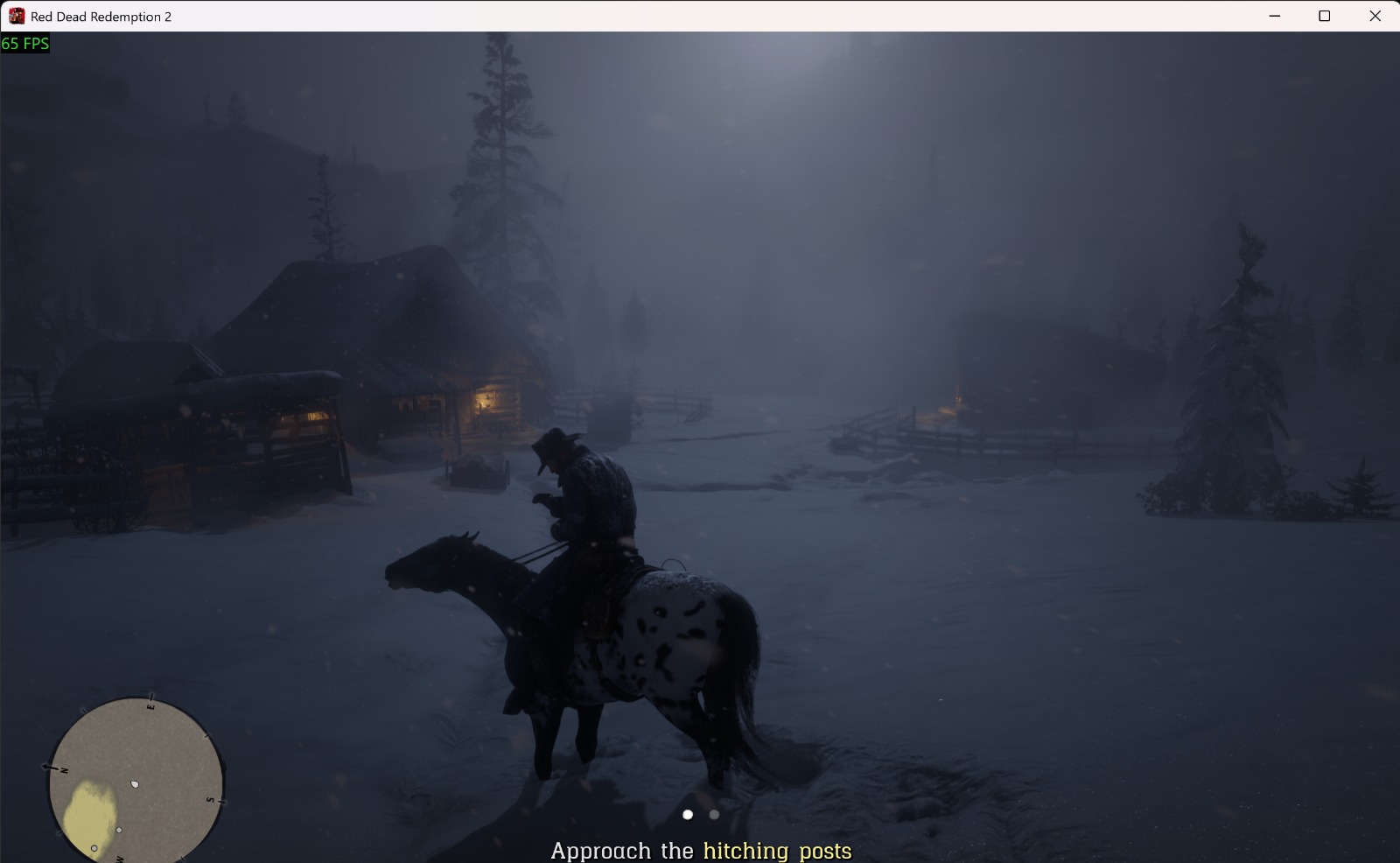
With texture quality set on High and rest on medium the device was performing well and was able to give 60+ FPS easily even maxing out at 70-75 FPS but it easily maintained a 60+frame rate consistently without much variation in frame rates throughout, it was a smooth experience. Next up, at ultra texture quality and the rest all set on high, it was able to deliver 55-65 FPS consistently, which is a good achievement when it comes to RDR2. Although a few time frames dropped below 55FPS but still a seamless experience.
-1777472936371.jpeg)
-1777472948871.jpeg)


-1777473010215.jpeg)
Then we maxed it out all over with all settings put on ultra. Here, obviously, the game becomes quite heavy, but to my surprise, it maintained a consistent 35+ FPS, maxing out at 55 at times, although frame drops became a bit noticeable, but only because I am quite picky about it. For a casual gamer or even buffs who want an all-round experience, it was smooth sailing. I have attached the images below for you to take a much clearer look at it.

-1777473057367.jpeg)
-1777473065864.jpeg)
-1777473072773.jpeg)