
- By Prateek Levi
- Thu, 12 Feb 2026 12:18 PM (IST)
- Source:JND
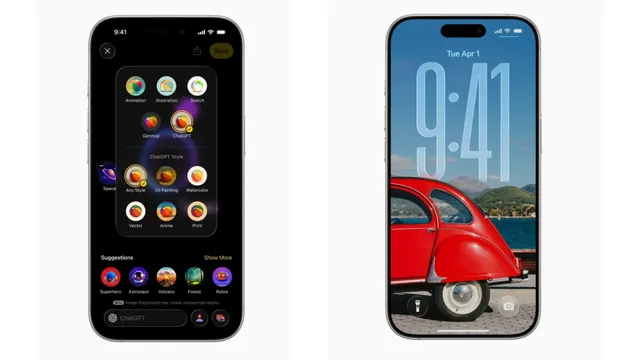
iPhone software update 2026: The tech giant, which is Cupertino-based, has rolled out the iOS 26.3 update for iPhones. This is the third major OS update released to iPhone devices. Apple has begun to roll out the iOS 26.3 update, which has been tested out by developers and those in the public beta program over the past few weeks. There are several features that have been incorporated into the iPhone through this new update. Some of the major features of the update include an easier way to switch from Android to iPhone.
ALSO READ: YouTube Music Gets New AI Tool To Create Mood Based Playlists
As per Apple’s release notes, iOS 26.3 introduces a new transfer method that lets users shift their data from an Android phone without needing to download additional apps from either Apple or Google. The process supports moving apps, messages, notes, passwords, contacts, photos, and other essential data. However, a report by MacRumors points out that the experience is not entirely straightforward yet, which could be why Apple has not gone out of its way to promote the feature.
Additionally, there are some improvements to Apple Music. These include the ability to find the "Favourite Songs" playlist easily, as it appears on the home screen under "Top Picks". Users can also download song lyrics to be able to read them even without an internet connection.
Recommended For You


Moreover, there are a number of bug fixes in iOS version 26.3. The changes are meant to address the problems reported for previous iOS versions.
How to Install the Latest Update 26.3
The update will eventually start rolling out to all the devices, and your iPhone will prompt you to install the same soon, but that might still take some time, even with automatic updates turned on, so here's a step-by-step guide on how to install the update right away.
ALSO READ: Android 17 Beta 1 To Roll Out Soon As Google Releases Android 16 QPR3 Beta 2.1
- Go to settings on your device
- Tap on General, then,
- Tap on Software Update
- Just make sure you have the latest or intended version of iOS, if required, and follow the instructions on your screen.