
- By Prateek Levi
- Tue, 09 Jun 2026 02:51 AM (IST)
- Source:JND
Apple has taken the wraps off iOS 27 at WWDC 2026, and while it doesn’t completely change how the iPhone looks or works, it does make everything feel quicker, more connected, and noticeably more intelligent in day-to-day use.
The first thing you’ll probably notice is speed. Apps open faster, Photos loads almost instantly compared to before, and even simple things like AirDrop transfers and switching between Wi-Fi and mobile data feel smoother. It’s not a dramatic “new iPhone” moment, but it’s the kind of improvement you feel over time as you use the phone.
ALSO READ: WWDC 2026: Apple Unveils Siri AI And Apple Intelligence Overhaul Across iOS 27, macOS 27 And More
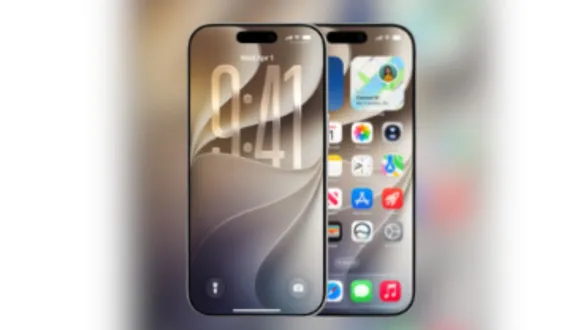
Visually, Apple hasn’t thrown everything out and started again, but it has refined the Liquid Glass design introduced last year. This time around, there’s more control over how it looks, including an option to adjust transparency. It sounds small, but it helps the interface feel a bit more personal instead of one fixed style for everyone.
Siri Finally Feels Like A Real App
The biggest shift in iOS 27 is definitely Siri. Apple has turned it into its own dedicated app instead of just something you trigger with a button or voice command. That alone changes how it feels to use.
You can now open Siri like any other app, see your past conversations, and continue where you left off. It’s also much more aware of what’s happening across your phone. It can pull details from Messages, Mail or Photos and respond in a way that feels more connected rather than isolated replies.
Behind the scenes, it’s powered by Apple’s own Foundation Models along with Google’s Gemini AI, which is what helps it handle more complex requests and understand context better than before. You also get more control over how Siri sounds, so you can tweak things like tone and speed instead of sticking with a single voice style.
Apple Intelligence Starts Blending Into Everyday Use
Apple Intelligence isn’t being treated like a separate feature anymore. In iOS 27, it’s just part of the system.
In Photos, you get smarter editing tools that let you do things like extend an image or make changes just by describing what you want. The Camera app also picks up a new visual search mode, so you can point it at something and quickly get information about it without doing anything extra.
Safari feels more organised too, automatically grouping tabs based on topics and even flagging updates on pages like price changes or stock availability. Messages and Mail are also more helpful now, suggesting things like reminders or notes based on what you’re talking about.
Small But Useful System Improvements
There are a bunch of smaller upgrades as well. The Phone app can now pull in useful context from Mail during calls, while system-wide suggestions are getting smarter about when and how they show up. Apple is also making Shortcuts easier to use with natural language prompts, so you don’t have to build everything manually.
Parental controls are also getting stronger, with features like Time Allowances, Schedules and Ask to Browse giving parents more say in how children use their devices. These changes are rolling out across iPhone, iPad and Mac.
ALSO READ: macOS 27 'Golden Gate' Arrives With AI Upgrades And Design Tweaks But It's The End For Intel Support
Who Gets It And When
iOS 27 will be available later this year for iPhone 11 and newer models. Developers get access first, followed by a public release a bit later.
Not everything will arrive everywhere at once, though. Some Apple Intelligence features will only work on newer devices like the iPhone 15 Pro and above, and a few capabilities will roll out in stages depending on region and language.